
Link to Play
https://gourav-ranganath.itch.io/gallos-kernow
Brief
‘Gallos Kernow’ is a project made by Masters students at Falmouth University, for the Cornwall Council Local Resilience Forum (LRF).
The aim of the project is to develop a computer game, targeted at primary school aged young people, to support the development of awareness and resilience towards a range of challenges by teaching concepts such as 999/101 emergencies, first aid kits and fire extinguishers.
Gameplay
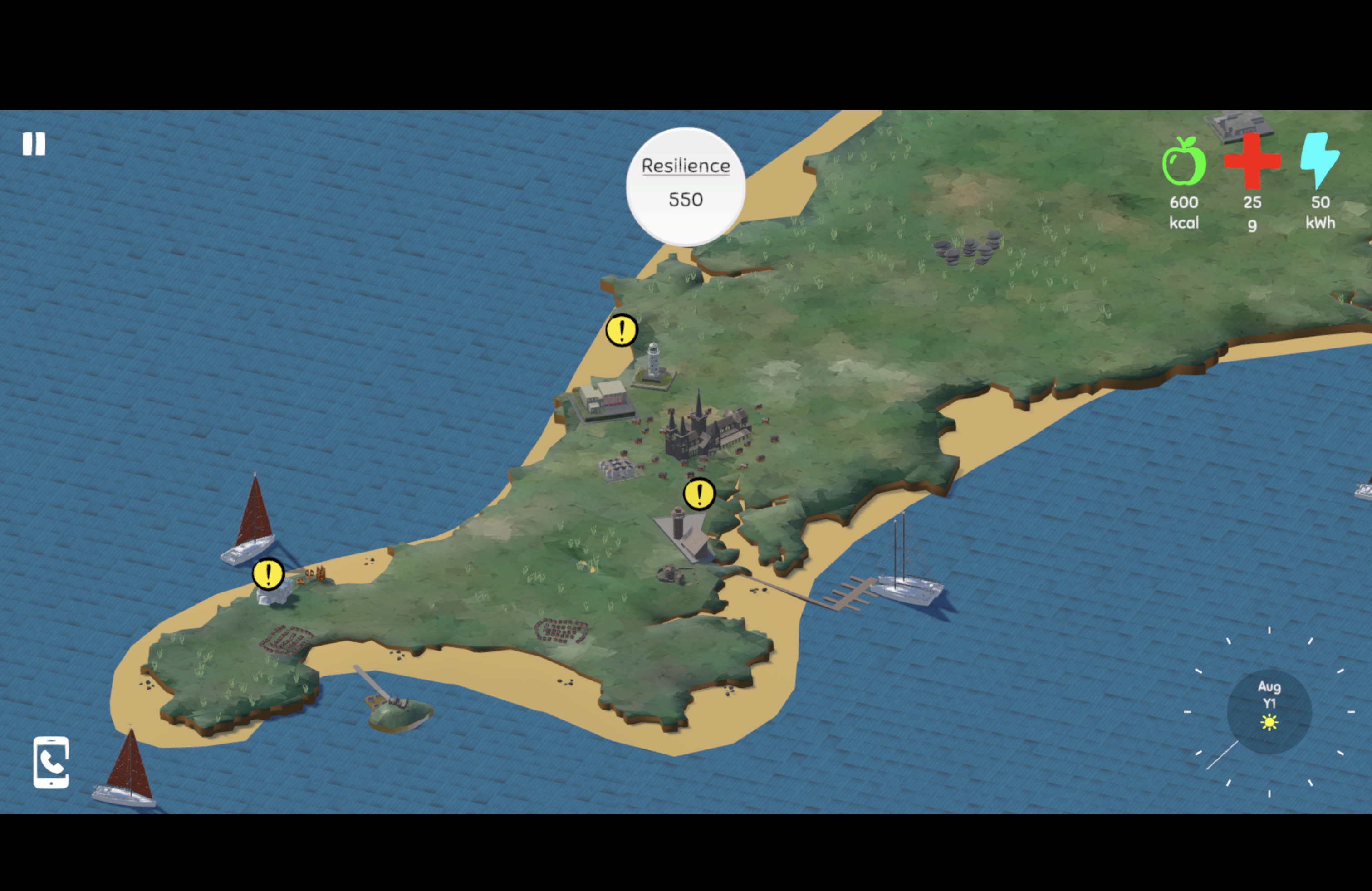
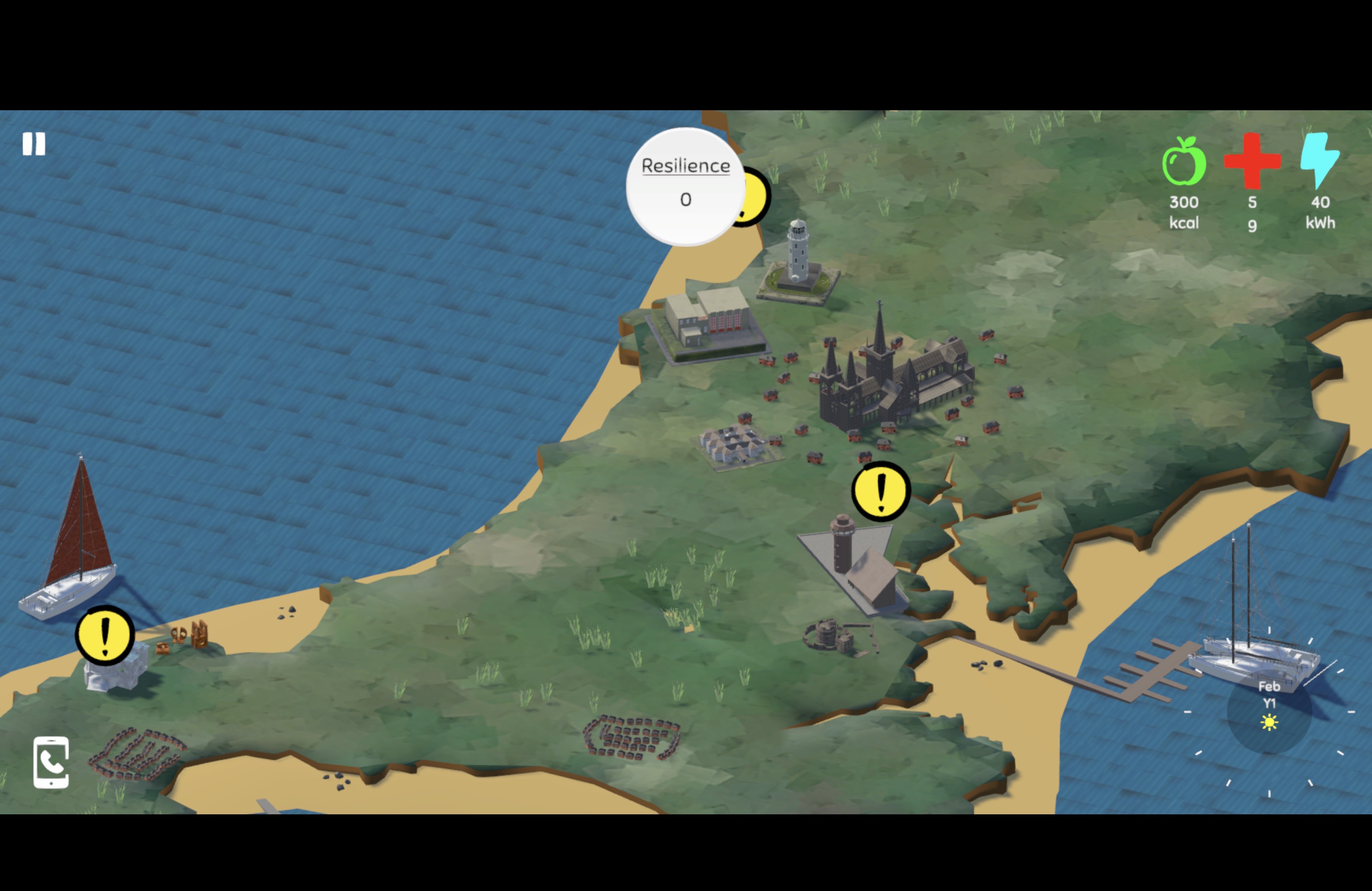
- Features a Cornish map with resource management and phone dialling mechanics.
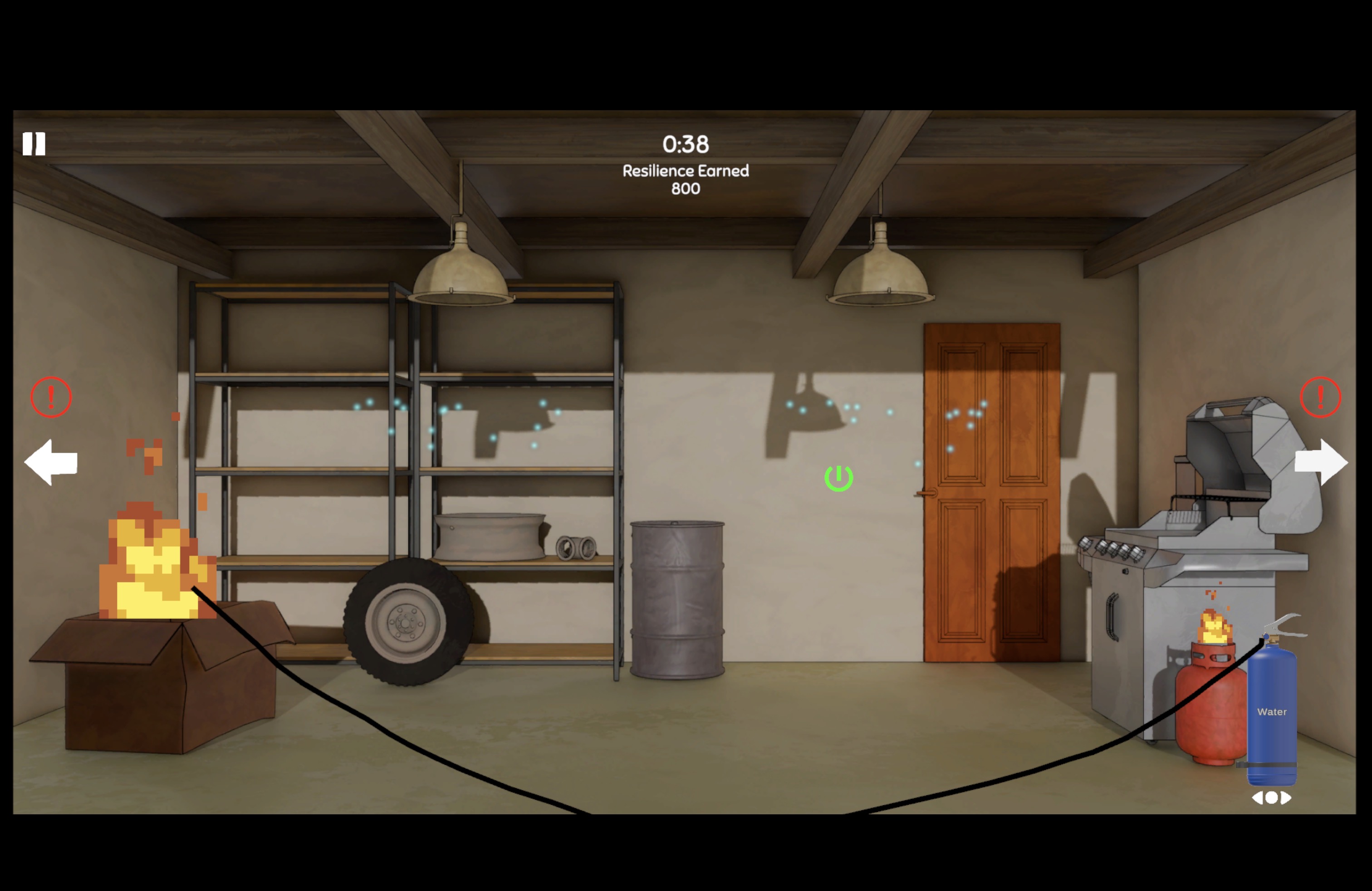
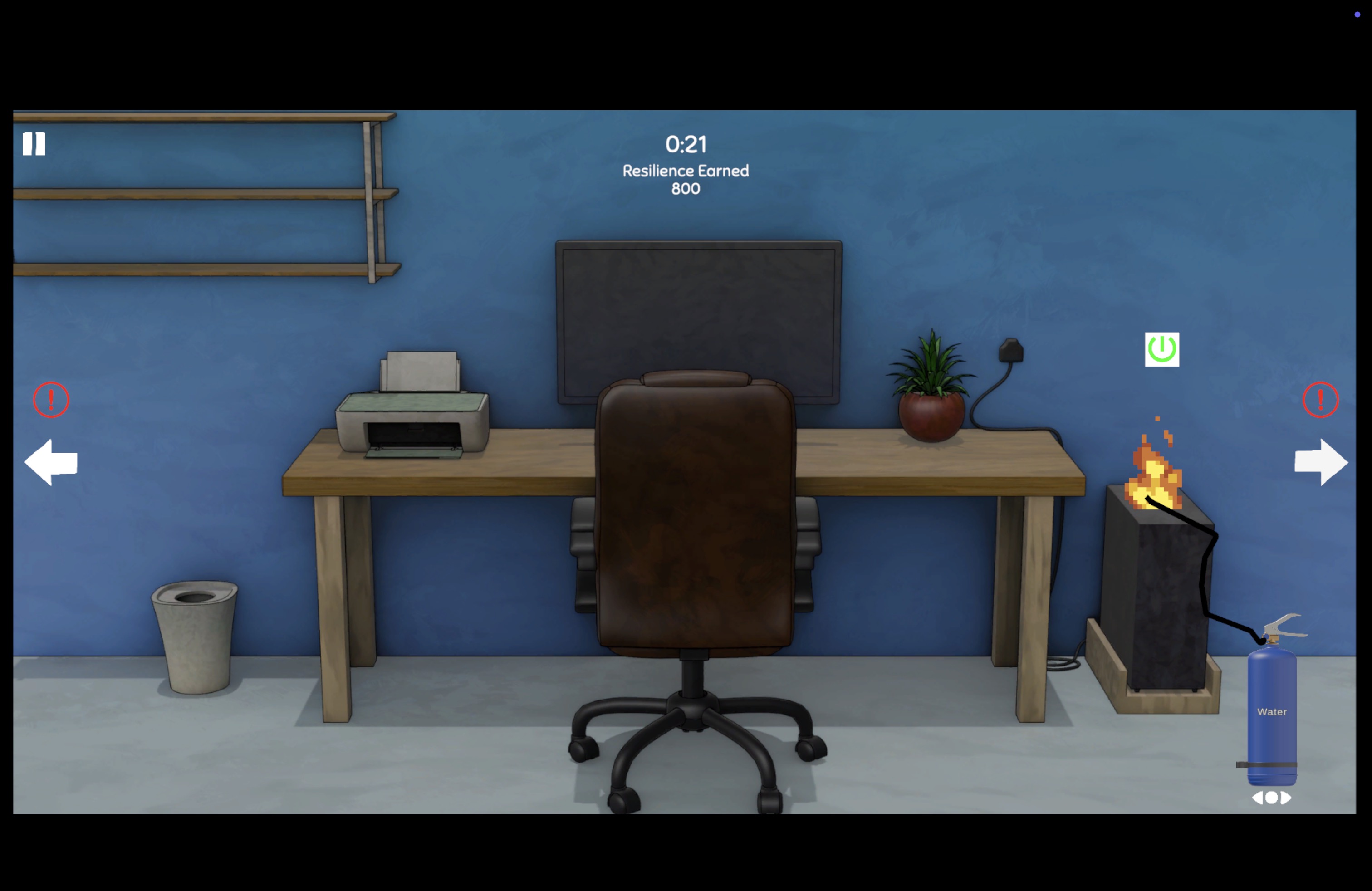
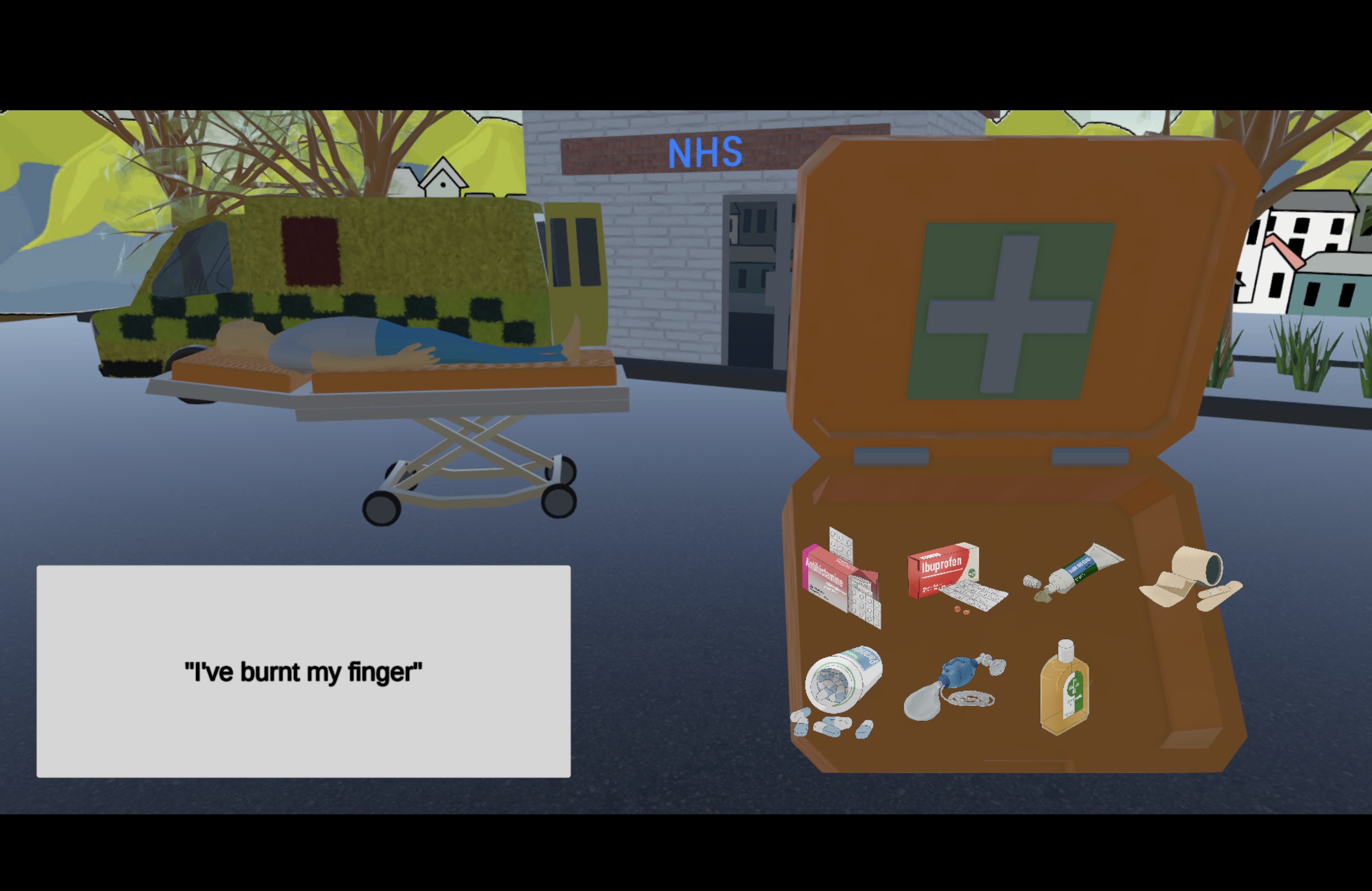
- Filled with educational mini games focused on teaching real world concepts like first aid kits and fire extinguishers to children.
- Simplified for children to develop resilience towards challenges they may face in the areas they live in.
Initial GDD
My Contributions
- Designed various game systems
- did rapid prototyping and demonstrated to clients
- wrote user stories
- created art and UI assets
- Took additional responsibility as a Scrum Master coordinating the release activities of an 8-member team
- Received distinction-level feedback from peers and faculty
Game Design
My primary research points for the making of this game was mostly from reading play=learning (G. Singer et al. 2006) and Imagination and play in the electronic age (G. Singer and L. Singer 2005).
Besides this, I also did some basic research on Cornwall from whatever I could find in the Falmouth library and the internet. Some of the things that really stuck with me are Cornish Choughs, standing stones, and lighthouses around Cornwall
Splitting the team
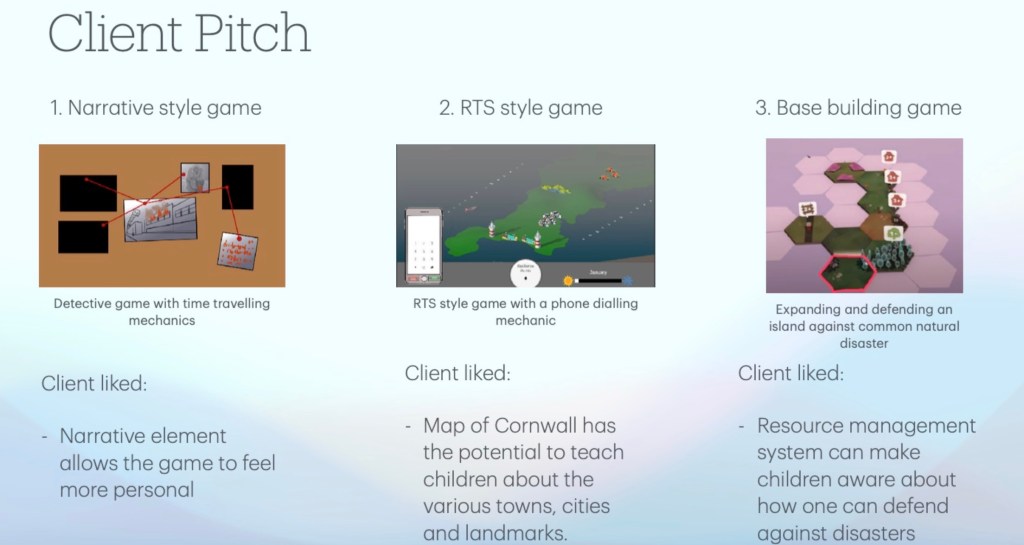
Since this is a client project, and none of us knew what the client’s expectations were, I had proposed the idea of splitting the group into 4, with each team having 2 team members.
The idea was to pitch multiple different ideas, and see which ones resonate with our client more, so we have a better understanding of what kind of game the client is expecting.
Team 1 — A detective game with time travel elements.
Team 2 (which I was a part of) — RTS style game with a phone dialling mechanic.
Team 3 — Expanding and defending an island against common natural disasters
Team 4 — A lighthouse game resembling mechanics from ‘5 nights at Freddies’
Unfortunately, team 4 wasn’t able to present on that day, but the client had seen the first 3 pitches, and liked something about each of them.
Final iteration of the design
If you wish you can find out all about the iteration process here, but for the purposes of the blog, here’s the final iteration:
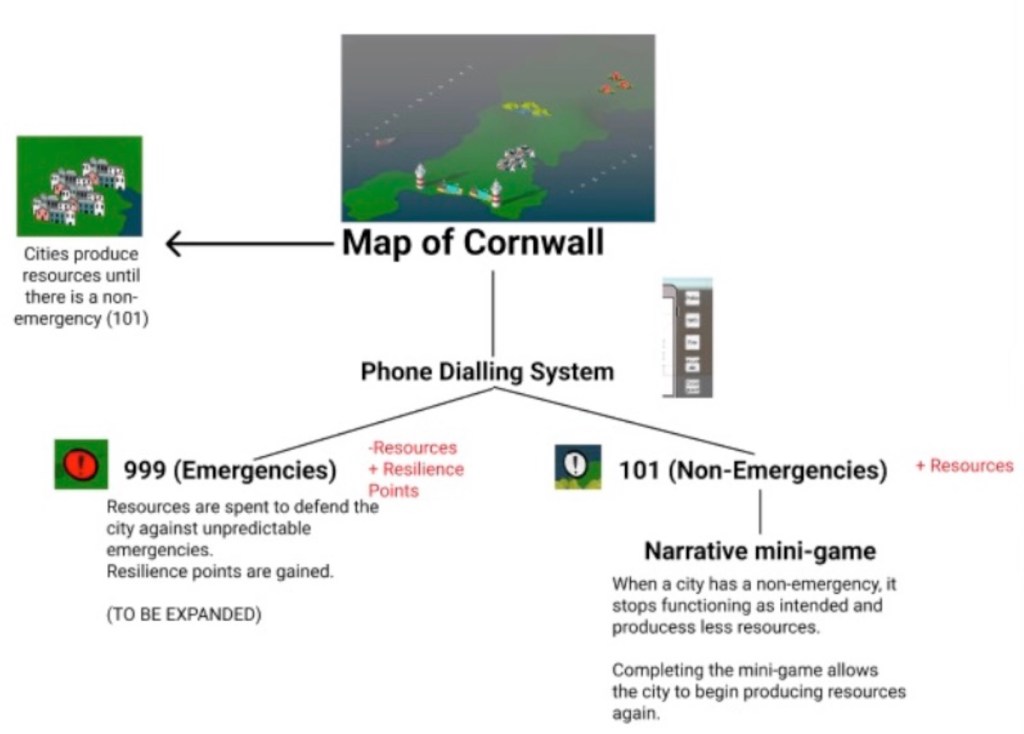
The map is divided into cities, each city produces a certain amount of mount of resources at a certain rate. Whenever the city has an event, the city stops producing those resources until the conflict is resolved.
To resolve the conflict, the user must click on it, and dial either 999 or 101 depending on if the event is an emergency or non-emergency.
If the event is an emergency, the user must spend a certain amount of the earned resources to resolve the conflict. If the conflict is a non-emergency, the user must play a mini game to resolve the conflict.
After resolving any conflict, these also earns resilience points, which can be used by students to compare with each other.
The focus of these RTS mechanics was primarily to teach children resilience through resource management mechanics, to save the present for the future.
After my meeting with a phd game design student at Falmouth University, I followed up on some of the references mentioned, mainly sesame street games. At the time, I was also hooked to playing club penguin out of sheer nostalgia.
Something I noticed is that both those games used similar point and click frameworks, and built on top of that so there was re-usablity of code, simplifying the entire process of coding more games. Sesame Street also provided me a perspective on making games with an educational lens.
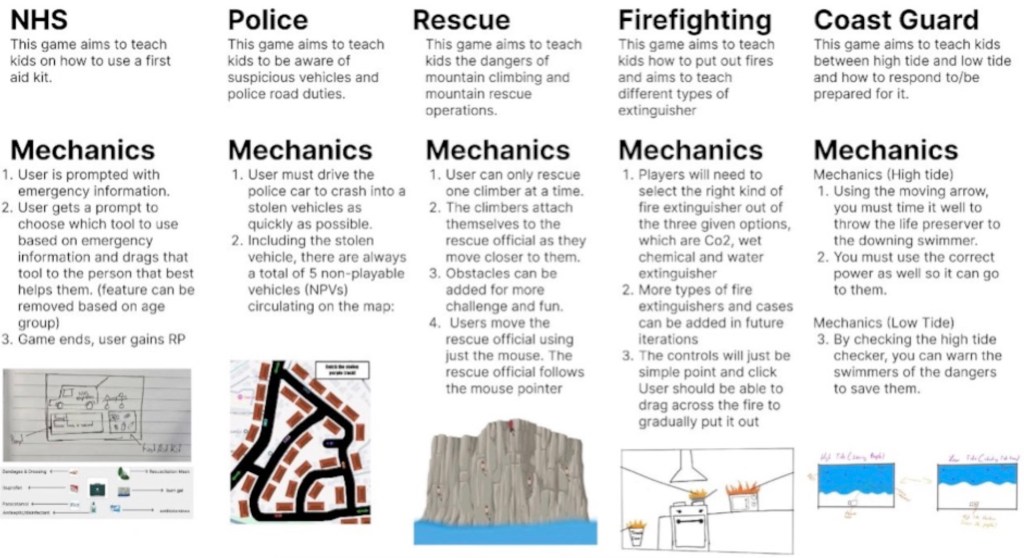
After proposing these to the team, we came up with more mini game designs:
- NHS — Teach kids on how to use the first aid kit with drag and drop mechanics
- Police — Aims to teach kids to be aware of suspicious vehicles and police road duties with driving mechanics.
- Mountain Rescue — Aims to teach kids the dangers of mountain climbing and mountain rescue operations, using mechanics similar to the fishing game in club penguin
- Firefighting — Aims to teach kids about the different kinds of fire extinguishers using drag and drop mechanics
- Coast Guard — Aims to teach kids the difference between high and low tides and how to prepare for it, using warning mechanics and a mechanic where the player throws life preservers.
Scrum Master
A couple of designers collectively took on the responsibility of scrum-master, but over time, the responsibility had shifted more towards me and Danial since we were the most consistent at being present.
User stories
After a meeting with the project supervisor, we had a user story template that could work well…

We were using MS Planner since it would integrate well with teams, and that was what Falmouth recommended.
These are the different elements:
- Title – The title of the user story had to be in the format “As a User, I want to ___, So I can ___”
- Assign – The different team members would be assigned, atleast one from each discipline (1 artist, 1 programmer, 1 designer)
- Description – We would require the assigned artist and programmer to collectively agree upon an estimated time, and once the user story was done, note down the actual time. The idea was that if this was an actual project stretched out across months, the actual time would help us as designers to come up with a burn chart, and estimate time for other user stories as well.
- Checklist – We needed artists and programmers to make a list of all the different assets or scripts they would be working on. eg. 3D model of a lighthouse, character controller, etc.
Daily Stand-Ups
We also agreed to have daily stand-ups, where all the group members had to log 3 things:
- What I have done
- What I plan to do
- Any Blockers/issues
The daily stand-ups were set up as a separate channel on teams, where all team members were requested to make an entry everyday.
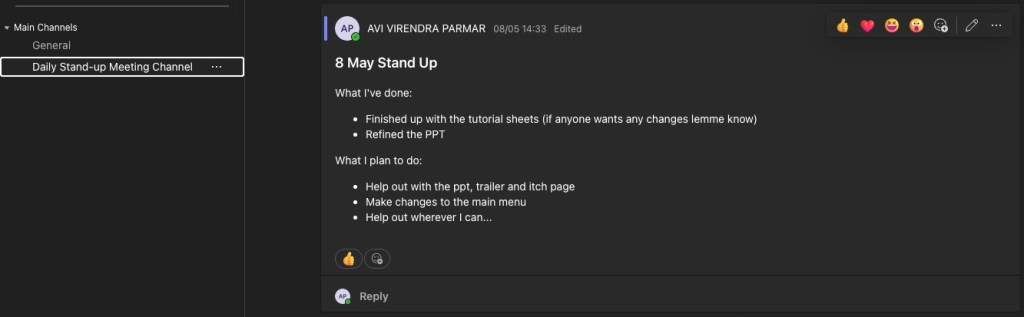
It was pretty difficult to make everyone follow a stand-up since being consistent was difficult, and none of us wanted to feel like we were always monitoring the other person’s work.
What helped was that in any scenario, I made sure at the very least I was consistent. This led to everyone posting stand-ups, and eventually a shared mutual understanding was built and daily stand ups became the norm.
Meetings
Initially, we thought about having daily meetings in place of stand-ups, but we quickly realised that just wasn’t possible, and might even be inefficient with the schedules that other people have, since everyone works at different times in the day.
We generally kept meetings to a minimum, with about 1-2 group meetings per week, to discuss if everyone was on the same page, the progress of things, to plan sprints, and to make sure everyone knew if anyone else has any blockers.
Version Control
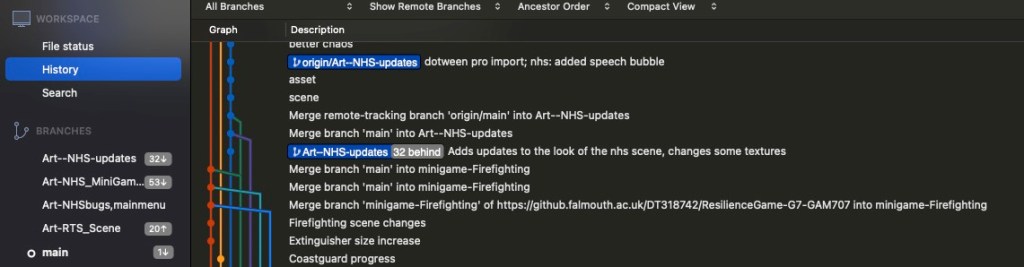
We had also set up version control for our game, so all of us could keep track of all the different things going on.
This was set up by one of our programmers on the Falmouth University servers.
I had to learn Git properly from scratch to be able to keep up with everyone, and would often go to the programmers just to make sure I wasn’t getting in the way, or ruining any branch or anything.
Thankfully, all went well, and I learnt a lot of version control. I was able to create my own branches, and contribute to the art of the game, and for any future presentations to the project supervisor, or for play testing purposes, I could pull and compile the latest version of the game immediately, without having to ask the programmers for a build.
An Iterative process
We ended up play testing this game with multiple people, many of whom were very experienced in the field of making games for children, and we got an incredible amount of feedback.


In addition to taking notes, we would often record the screen as well, in case we were missing out on something.
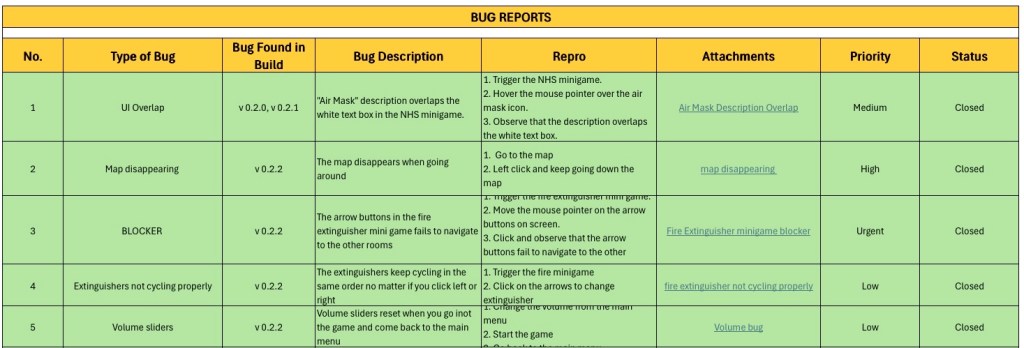
Towards the end of the project, we set up a QA team with two designers, who worked with the programmers in ensuring that all these different feedbacks were implemented. Something that really helped was the excel sheet they used to keep track of everything.
One of the big responses we had from our players is that since it is a kid’s game, the game needs tutorial sheets with some sort of mascot to explain how the game works.
Arts & Visuals
Since we only had one artist in the group, it was turning into a bottleneck, and we weren’t able to keep up with the timeline. So to help speed things up, I started to help with making the art.
The Map
Our artist, Denae, had pulled this incredibly accurate 3D model of Cornwall, which ended up being really helpful, but at the time, visually it didn’t look interesting enough for a children’s game, since it look to similar to a google maps satellite image of Cornwall.
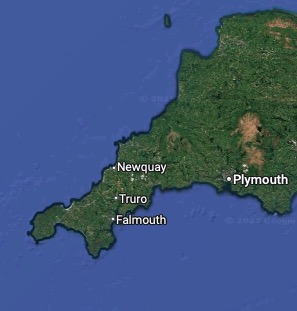
To make things look interesting, I decided to pass the texture of the map through a GIMP filter (since I don’t have Photoshop), that makes everything a little pixelated and shifted, providing a painterly look to the map of Cornwall.

The waves
While I was visiting the Falmouth Art Gallery in the library, I came across this beautiful moving sculpture of waves, and was wondering if I could implement the same in the game as well.

This was pretty simple stuff: an instance of a cube with 2 rotation keyframes, replicated in a grid with some timing offset.
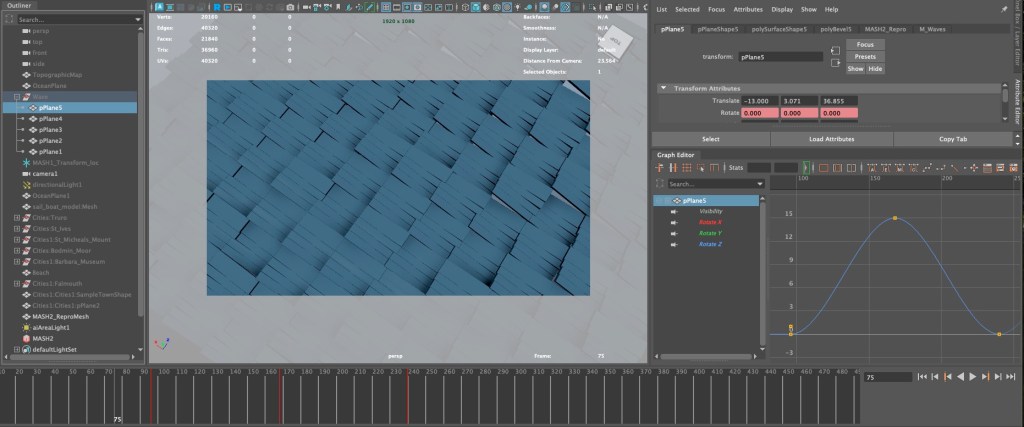
To save on performance, this was recorded from the top, and used as a texture in Unity.

Some other models
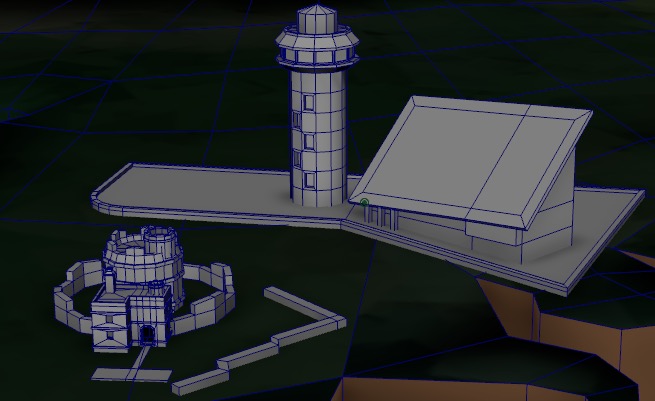
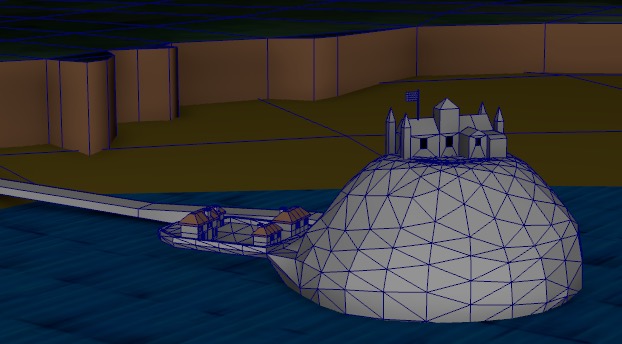
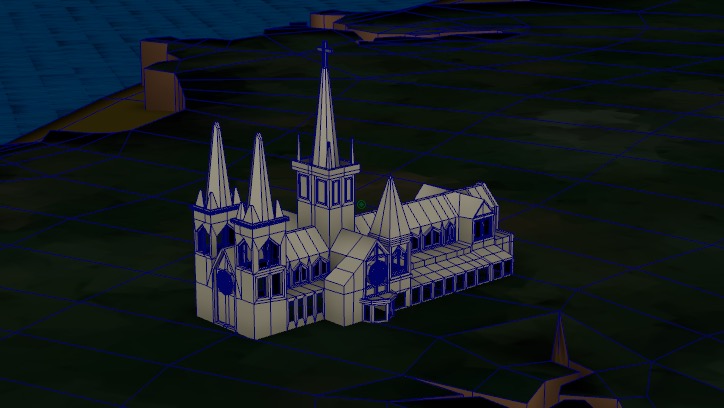
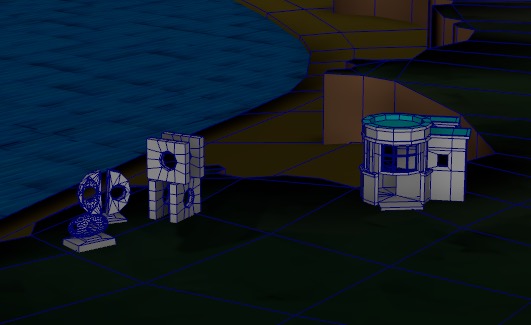
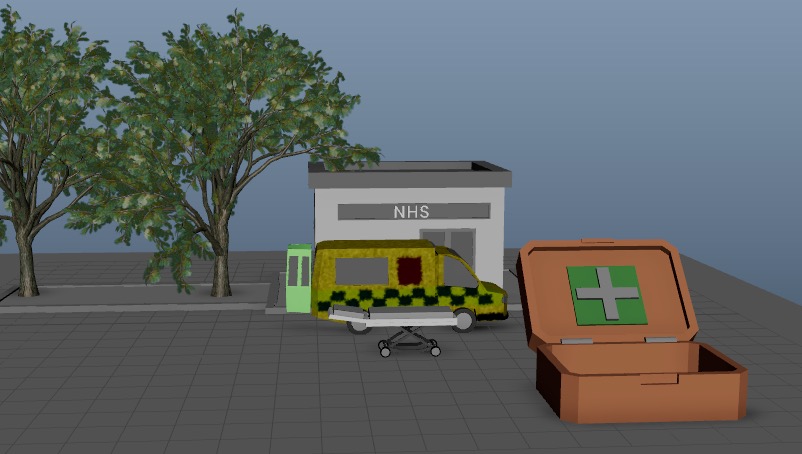
I also contributed some other 3D models to contribute to the look and feel of the RTS scene, and to provide assets for the NHS scene:
Game Logo
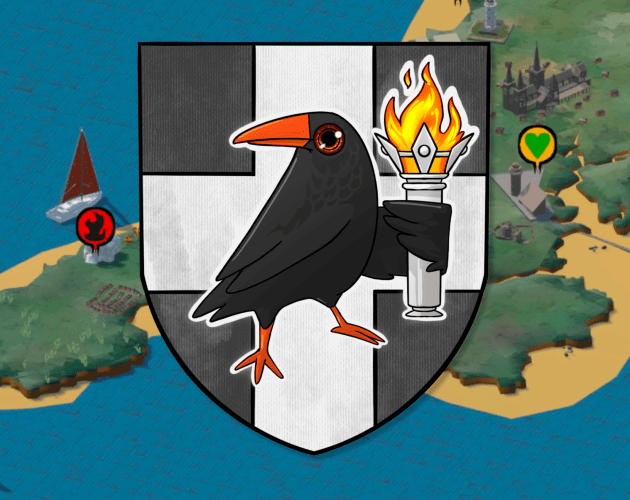
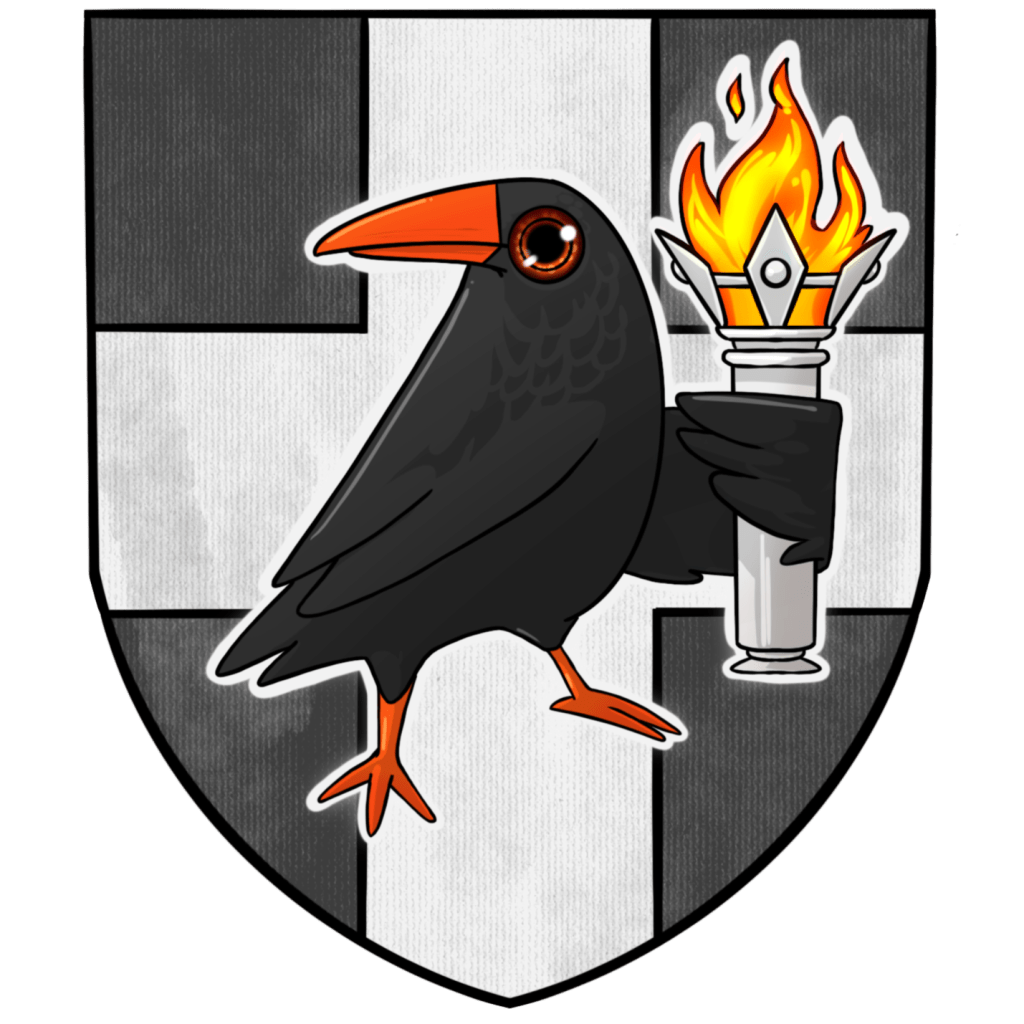
I was talking to a close friend in Graphic Design when she told me about the Chough, and how after 50 years, they were finally returning back to Cornwall, and I thought about how this fits in so perfectly with the idea of resilience.
Upon researching I found out that the chough was everywhere in the UK. So many emblems and badges use the chough.
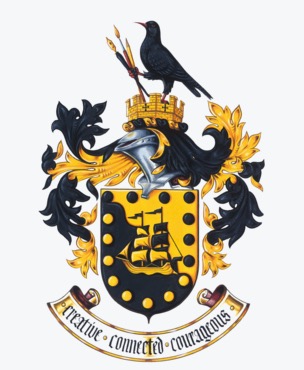
I asked if she could make me rough sketches of a logo since as a graphic designer, she would be more experienced with the composition rules and Gestalt principles of making a logo, so she provided me with these:
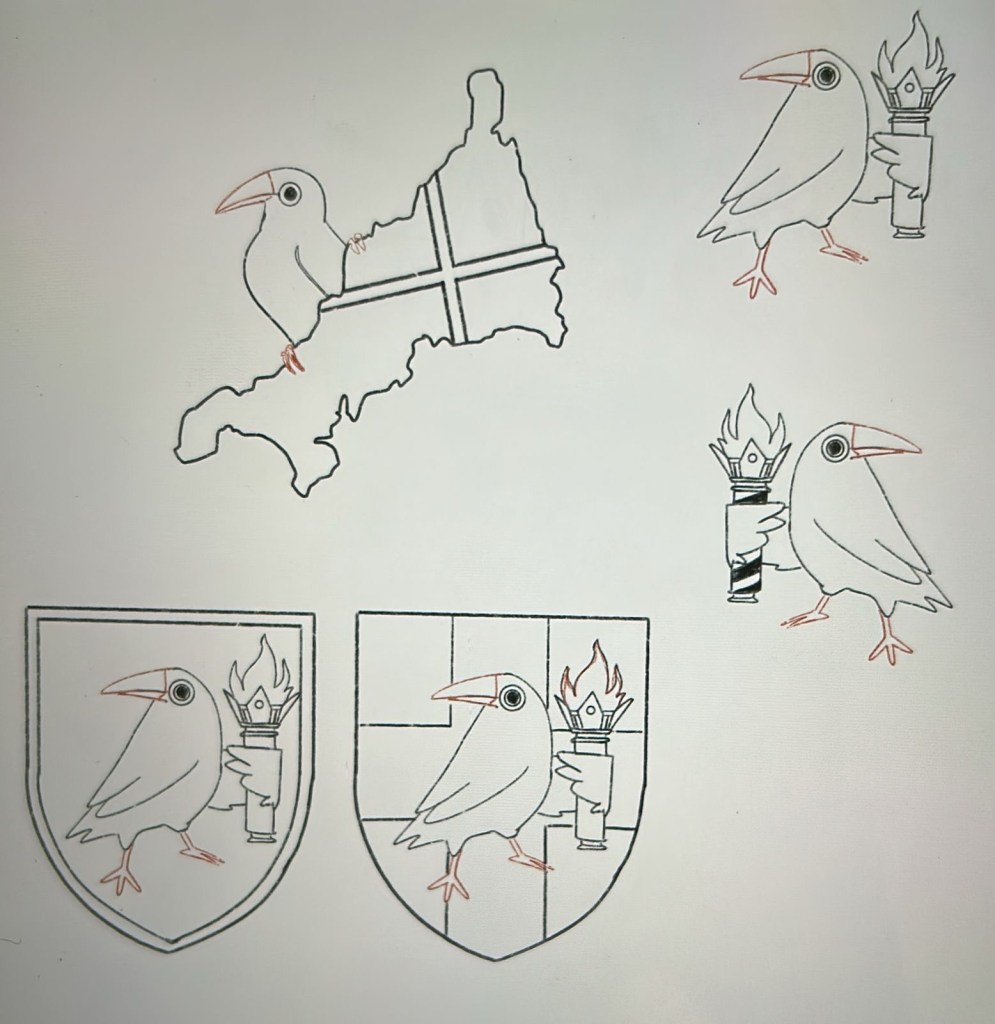
The team loved them, and after asking Denae to flesh it out, we finally got our logo
Tutorial sheets
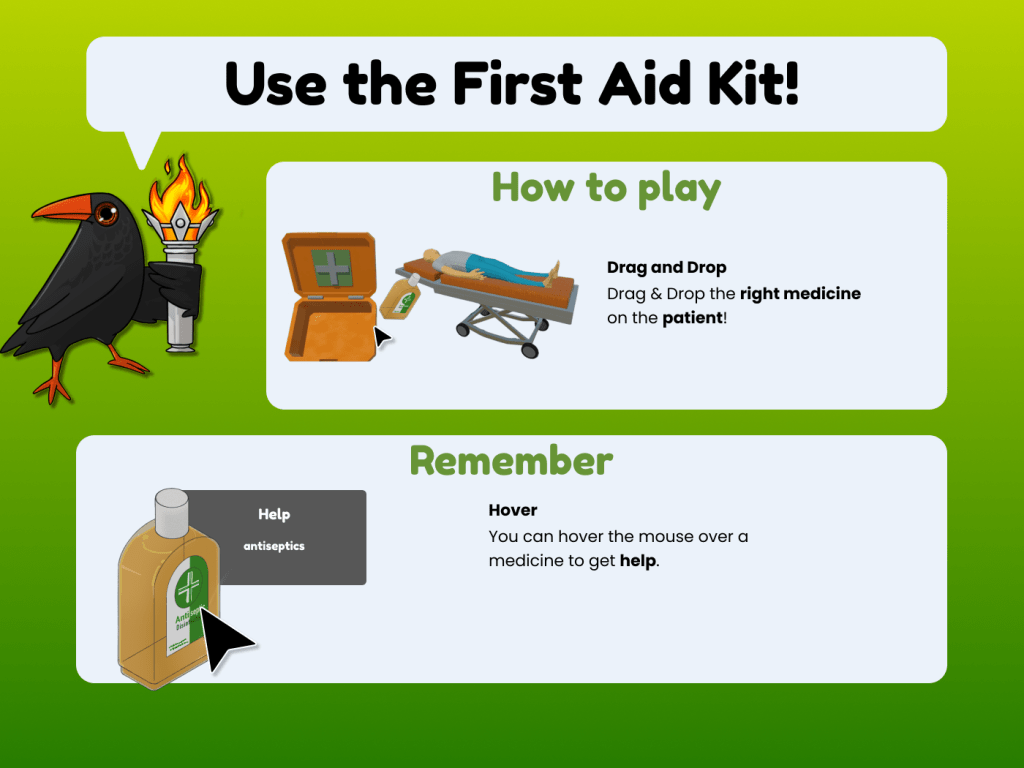
Another big contribution I had to this project was to make the tutorial sheets for all the different games. The tutorial sheets were designed to be extremely simple and easy to understand, and use the chough mascot to make them child friendly.
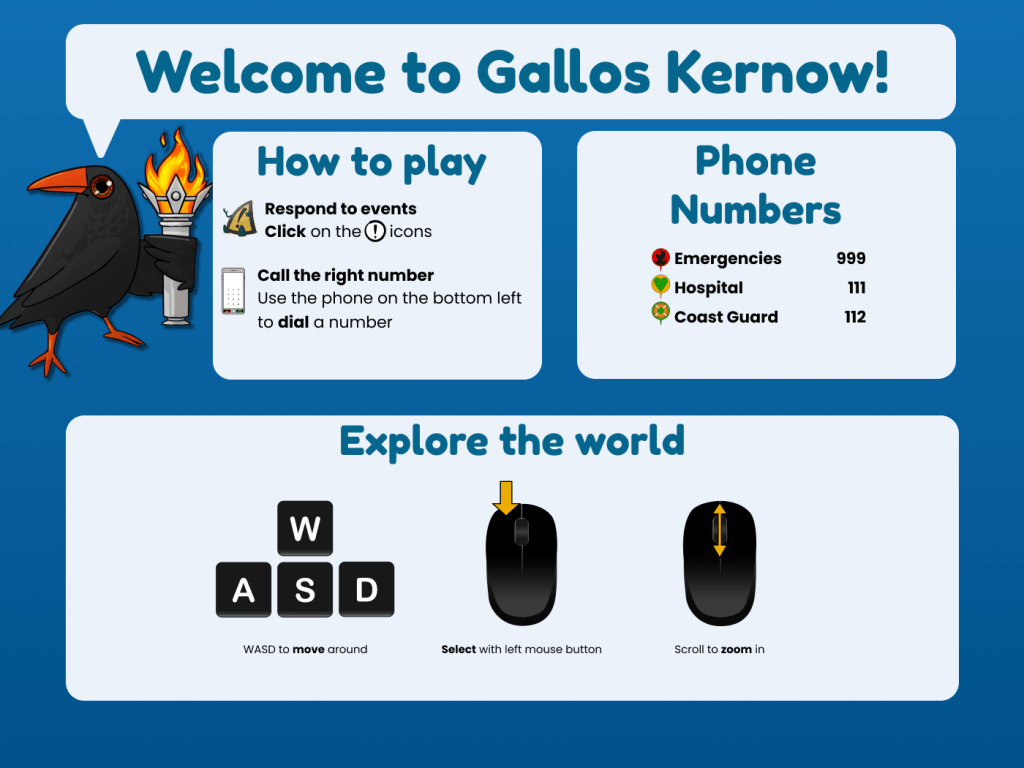
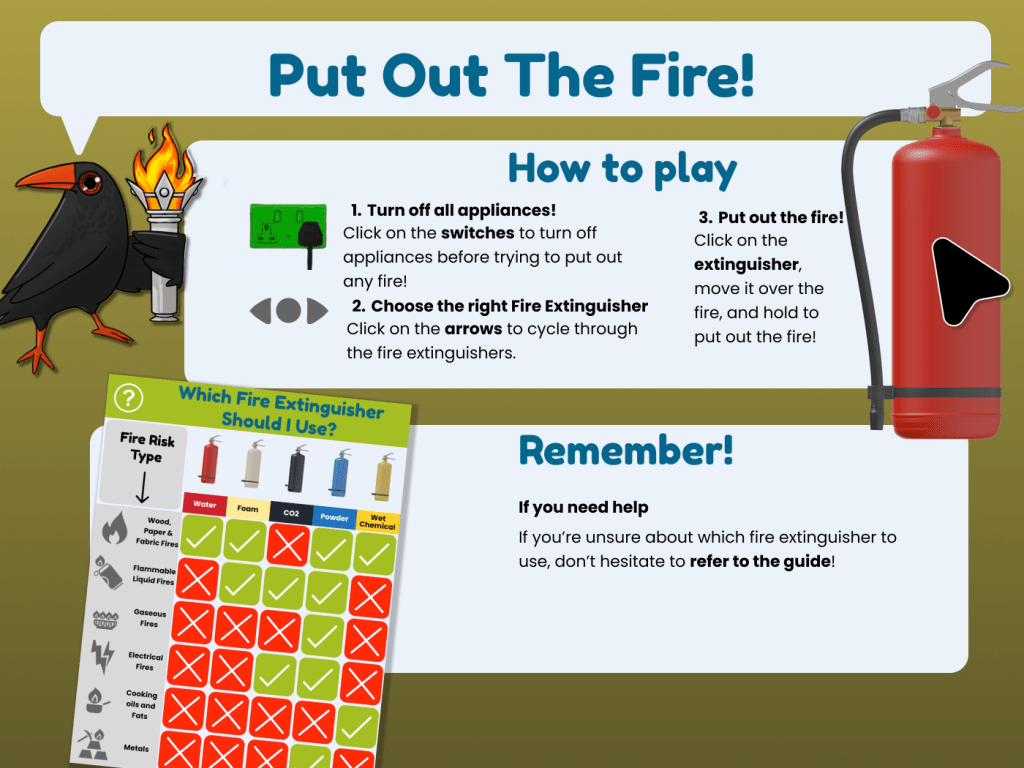
Blogs
Cornwall Council Project | Game Design Development Blog | Part 1
link to play — https://gourav-ranganath.itch.io/gallos-kernow Brief ‘Gallos Kernow’ is a project made by Masters students at Falmouth University, for the Devon, Cornwall and Isles of Scilly Local Resilience Forum (LRF). The aim of the project is to develop a computer-based game, targeted at primary school aged young people, to support the development of their awareness…

Cornwall Council Project | Art & Visuals Development Blog | Part 2
Production In part 1 of the development blog, I went through all the different challenges we had faced in the pre production of the game, discussing the various GDDs and ideas that were being thrown around, and the response to the initial prototypes of the games. By the end of the third week, everyone in…
Cornwall Council Project | Project management Development Blog | Part 3
Production In part 1 of the development blog, I went through all the different challenges we had faced in the pre production of the game, discussing the various GDDs and ideas that were being thrown around, and the response to the initial prototypes of the games. In part 2, I showed all the different art…
Screenshots
 Avi
Avi 
Leave a comment